

A useful image prompt tells the model what to show and how to frame it. You can begin with four pieces: a subject, a setting, a mood or lighting choice, and a composition. The examples below are starting points, not magic formulas. Copy one into the AI image generator, see what the model makes, and edit the part that matters most to you.
A cinematic landscape
A quiet alpine lake at sunrise, snow-covered mountains in the distance, a thin layer of mist over the water, warm golden light, realistic textures, wide cinematic composition, no text.
This prompt gives a clear place, time, atmosphere, and frame. For a different mood, replace sunrise with blue hour and golden light with cool moonlight. If the foreground feels empty, add a rocky shoreline or a single tree. Make one change at a time so you can see what each detail contributes.
A character portrait
Editorial portrait of an adult artist in a bright studio, relaxed expression, soft window light from the left, muted earthy colors, natural skin texture, waist-up framing, uncluttered background.
Try the studio portrait prompt
Portrait prompts benefit from a clear framing instruction and a simple background. Try changing “waist-up” to “close-up” if facial expression is the focus. If you want the person to sit within an environment, keep the wider frame and describe one or two meaningful objects. Avoid naming a real person whose likeness you do not have permission to use.
A playful illustration
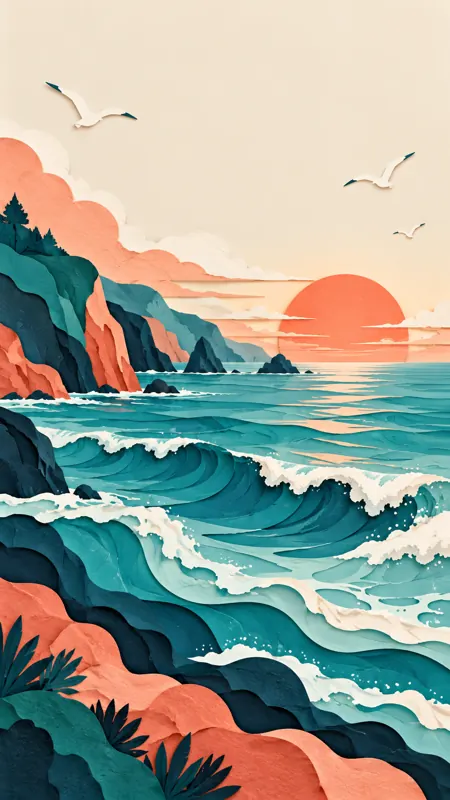
Paper-cut illustration of a colorful coastal village at dawn, layered hills and small boats, soft pastel palette, gentle shadows between paper layers, clean shapes, cheerful atmosphere, no lettering.
Try the coastal illustration prompt
The material cue “paper-cut” helps define the look. Swap it for watercolor or low-poly shapes to explore a new direction. You can also make the same setting feel calmer by removing the boats and using a limited two-color palette.
A product-style scene
A simple ceramic coffee cup on a pale stone table, morning sunlight casting a soft diagonal shadow, neutral background, minimal editorial product photography, close framing, space on the right, no logo or text.
This structure also works for a handmade object, a flower vase, or a piece of stationery. Change the background and light before adding more props. If the image is for a layout, describe where you need clear space; that often matters as much as the object itself.
If you are testing several concepts, reuse the same basic prompt and change only the object. That makes it easier to compare shape, color, and placement across results. For a softer look, swap the stone table for linen and the direct sun for diffused window light. For a stronger graphic image, ask for a colored backdrop and a sharper shadow. These are directions to experiment with, not settings that ensure a specific output.
You can use the same method on any of the examples above: keep the subject fixed, change one visual decision, and compare. If a landscape has the right atmosphere but the wrong frame, adjust the viewpoint instead of rewriting every detail. If an illustration feels too busy, remove secondary objects before changing its style. Smaller edits help you understand which part of your prompt influenced the result.
Learn from each result
Results may differ across models and settings. A strong prompt helps communicate your intent, but it does not guarantee an exact image. Start with the free options available to your account, check the displayed credit cost, and refine thoughtfully. Our step-by-step generation guide explains the workspace and reference uploads. You can also read why we offer free AI image generation to understand the daily gift credits. Pick one prompt, make it personal, and see where it leads.